Tailspin: Laravel logs without the SSH session
- 26.08.2026

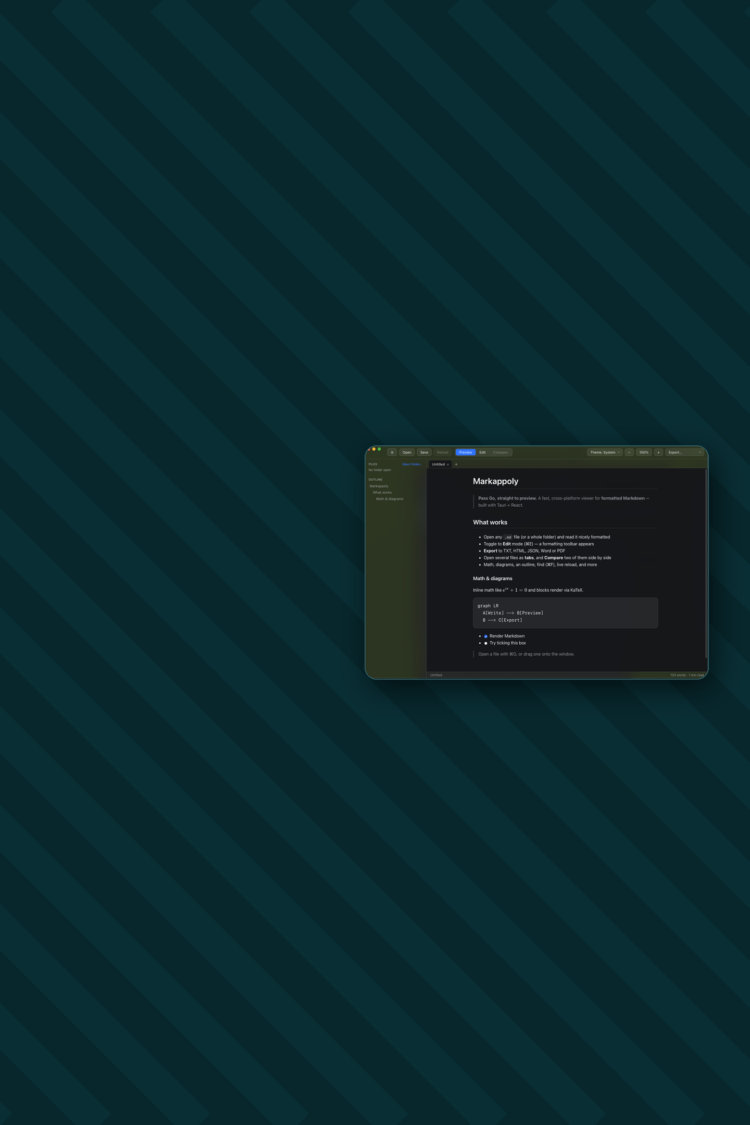
We open-sourced Markappoly in June. It’s a Markdown viewer and editor for Mac, Windows and Linux: double-click a .md file and you read it properly formatted, hit one key and you’re editing it. MIT licensed, free, source on GitHub.
It started as an itch. We work with AI coding agents all day, and they produce Markdown by the bucket: plans, specs, summaries, handover notes. Reading any of it back meant staring at raw # and * in a code editor, or pasting it into something else to render. Neither is a good way to read a document you’re going to read twenty times. So we built the thing we wanted.

Writing the viewer was the quick bit. Everything wrapped around it took longer, and that’s the part worth writing down, because it’s what catches teams out when they decide they need a desktop app.
Electron is the default answer and it works fine. It also ships an entire copy of Chromium inside every download, which is why an Electron app that does very little still lands around 100MB.
Tauri uses the webview the operating system already has. WKWebView on macOS, WebView2 on Windows, WebKitGTK on Linux. The frontend is still React and TypeScript, so building it feels no different day to day. A thin Rust layer handles the filesystem, the window, and watching files for changes.
The Markappoly .dmg is 9MB. The Windows installer is 5MB. That covers the lot: syntax highlighting, KaTeX maths, Mermaid diagrams, a CodeMirror editor, Word and PDF export.
The catch is you now have three rendering engines instead of one. Something that looks right in WKWebView can sit a few pixels out in WebKitGTK, and the only way to find out is to build for Linux and look. Electron’s pitch is that you test once. Tauri asks you to test three times in return for a download a tenth of the size. For something people install and keep, that’s the right side of the trade. For an internal tool used by ten people on identical laptops, it isn’t.
Worth knowing too: our Linux AppImage is 81MB, about ten times the .deb, because it has to carry its own dependencies. The size win isn’t uniform across platforms.
This is where desktop projects stall.
On macOS, an app that isn’t signed and notarized by Apple gets stopped by Gatekeeper. Your user sees a warning saying the app can’t be checked for malicious software. Most people stop right there. Getting past it needs a paid Apple Developer membership, a Developer ID Application certificate, and a notarization run where Apple scans your build and issues a ticket you staple into the DMG.
Windows has its own flavour of the same problem. Without an authenticode certificate, SmartScreen tells people your installer is unrecognised.
None of this is difficult. It’s a queue of accounts, certificates and CI secrets that has nothing to do with your actual product, and it stays completely invisible until the first person outside your team tries to install the thing. Budget a week and do it early.
The other thing that’s tempting to postpone is updates.
Ship a desktop app with no updater and every install is frozen at the version you shipped. There’s no deploy. You can’t push a fix. Those users sit on v1 forever, or until they happen to wander back to your download page.
Markappoly signs every release with a minisign key kept in CI, publishes a small JSON manifest to GitHub Releases, and checks it on launch. When a new version exists the app asks, downloads it, and restarts into it. That signature is what stops the update channel becoming an attack route, because the app will only install a build signed with the matching private key.
Building this in at the start costs far less than retrofitting it later.
A release is a git tag. Push v0.6.0 and GitHub Actions builds Apple Silicon, Intel Mac, Windows and Linux in parallel, signs and notarizes each one, then opens a draft release with the installers and the update manifest attached. We read it over and publish.
Sixteen releases in six weeks. That only works because none of those steps are manual.
Most of what we build is web and mobile, and most things that feel like they need a desktop app don’t. When one genuinely does, usually because it works on local files or has to run offline, the questions worth answering before anyone writes code are boring ones about distribution.
Who signs the builds, and on whose developer account? How do users get updates once the app is on their machine? And what happens on the platforms you didn’t prioritise, each with its own signing story and its own rendering quirks?
Answer those and the app is the easy part.
Markappoly is on GitHub if it’s any use to you. The distribution setup, signing, notarization, the release workflow and the updater, is documented in the repo so you can lift it for your own project.